
Scheduling built for Amazon DSPs
Build the week once and let it repeat. Every day shows drivers scheduled against drivers needed, open shifts go to the drivers who can take them, and every pick-up, drop, time off and VTO request lands where dispatch can approve it in a tap. Drivers see their own week on their phone, so the schedule stops being a screenshot in a group text.
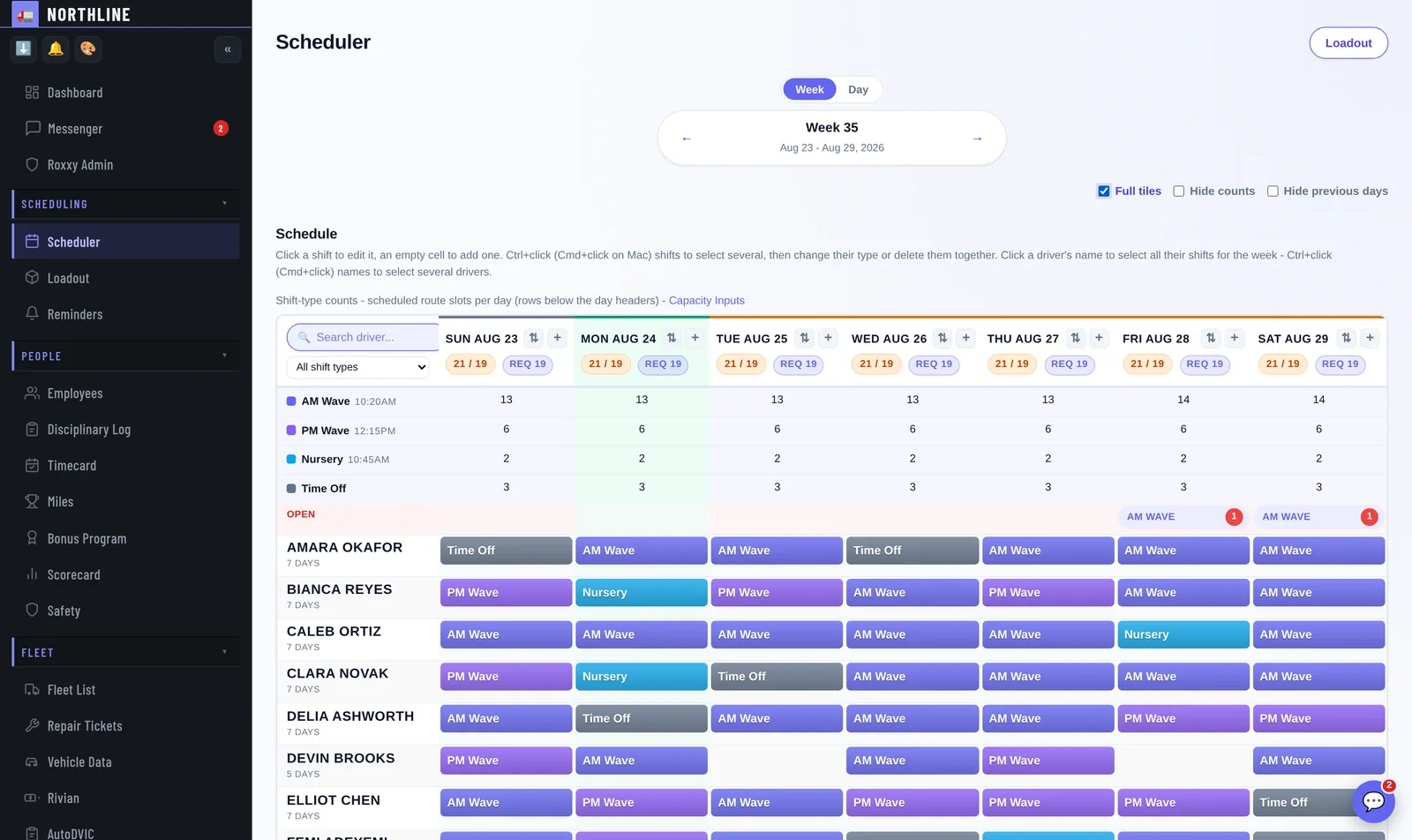
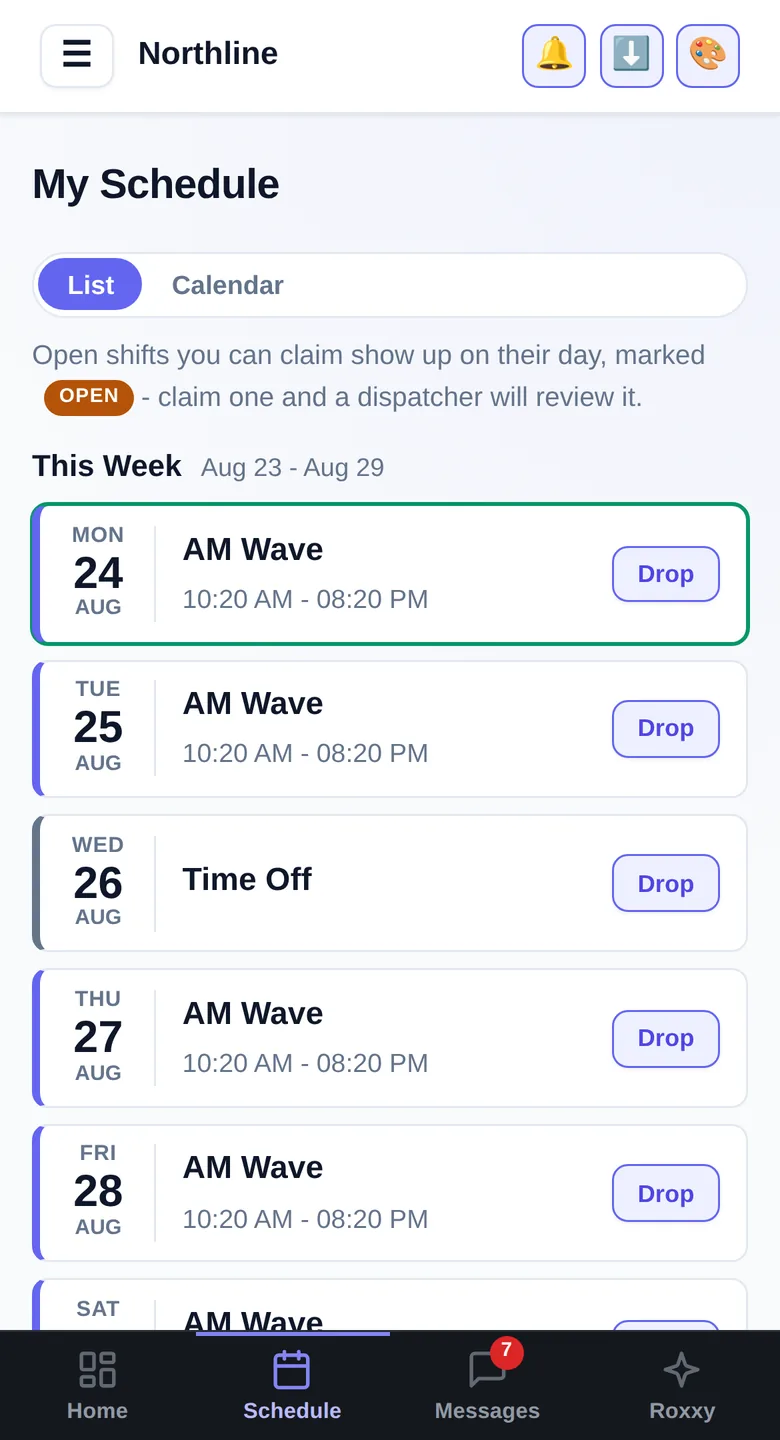
Screens from the running app. The company, drivers and vans in them are invented.
Build the week once
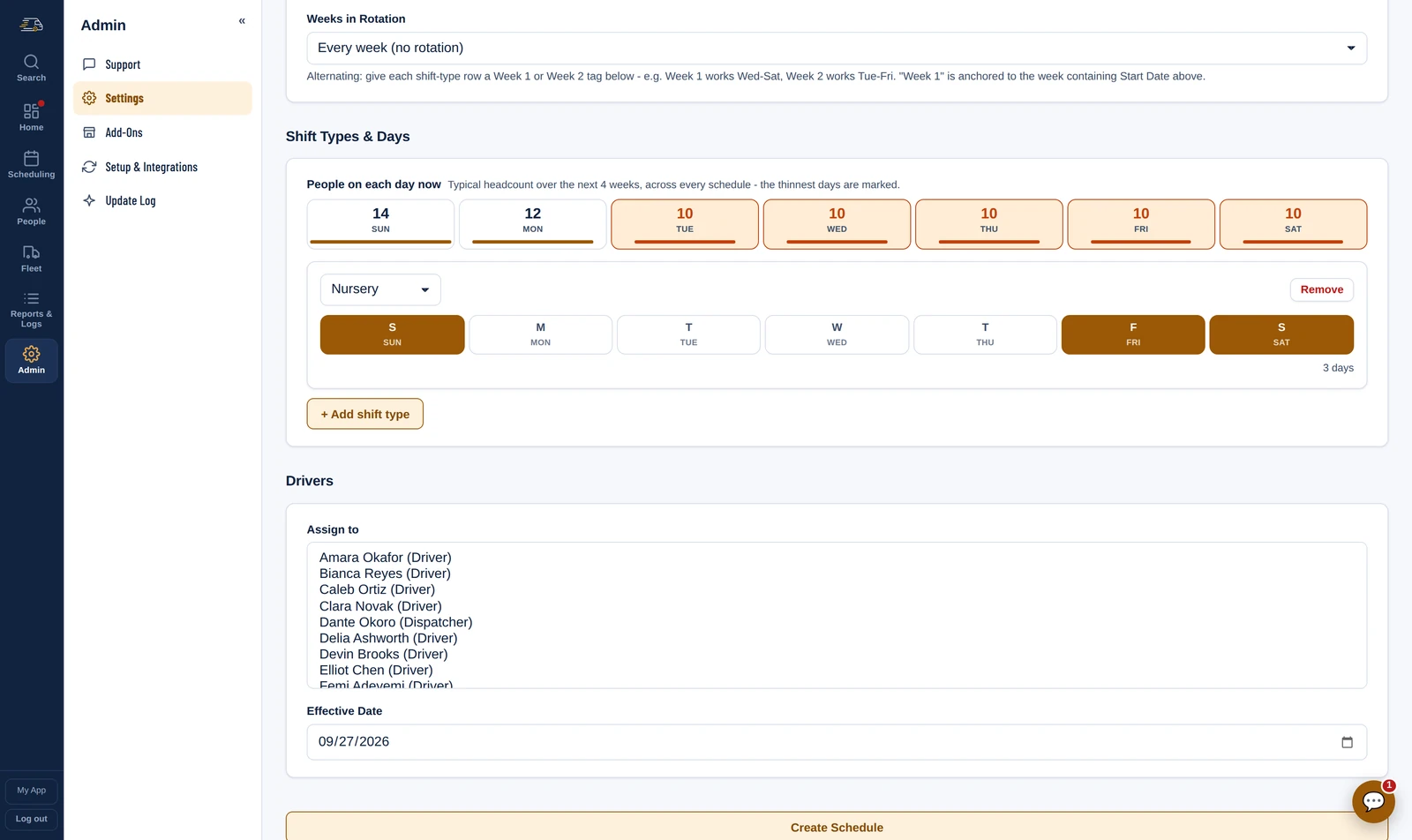
A schedule is a pattern: the shift type, the days it runs and the drivers on it. It repeats every week, or alternates between a Week 1 and a Week 2 for stations that rotate days. While you set one up, it shows how many people you will have on each day over the next four weeks, with the thin days marked. Already keep the schedule in a spreadsheet? Copy and paste it in.
Every day says whether it is covered
- Each day's header shows drivers scheduled against drivers needed, the count for each shift type, and any open shifts.
- Days are coloured Ready, Tight, Short or Critical from your own buffer, the same way the Readiness calendar reads them.
- A driver about to work six days in seven, or to go over 60 hours, is flagged on their row while you build the week. It is a warning, not a block.
- An eye beside each driver shows when they last opened their schedule.
Open shifts drivers claim, requests you approve
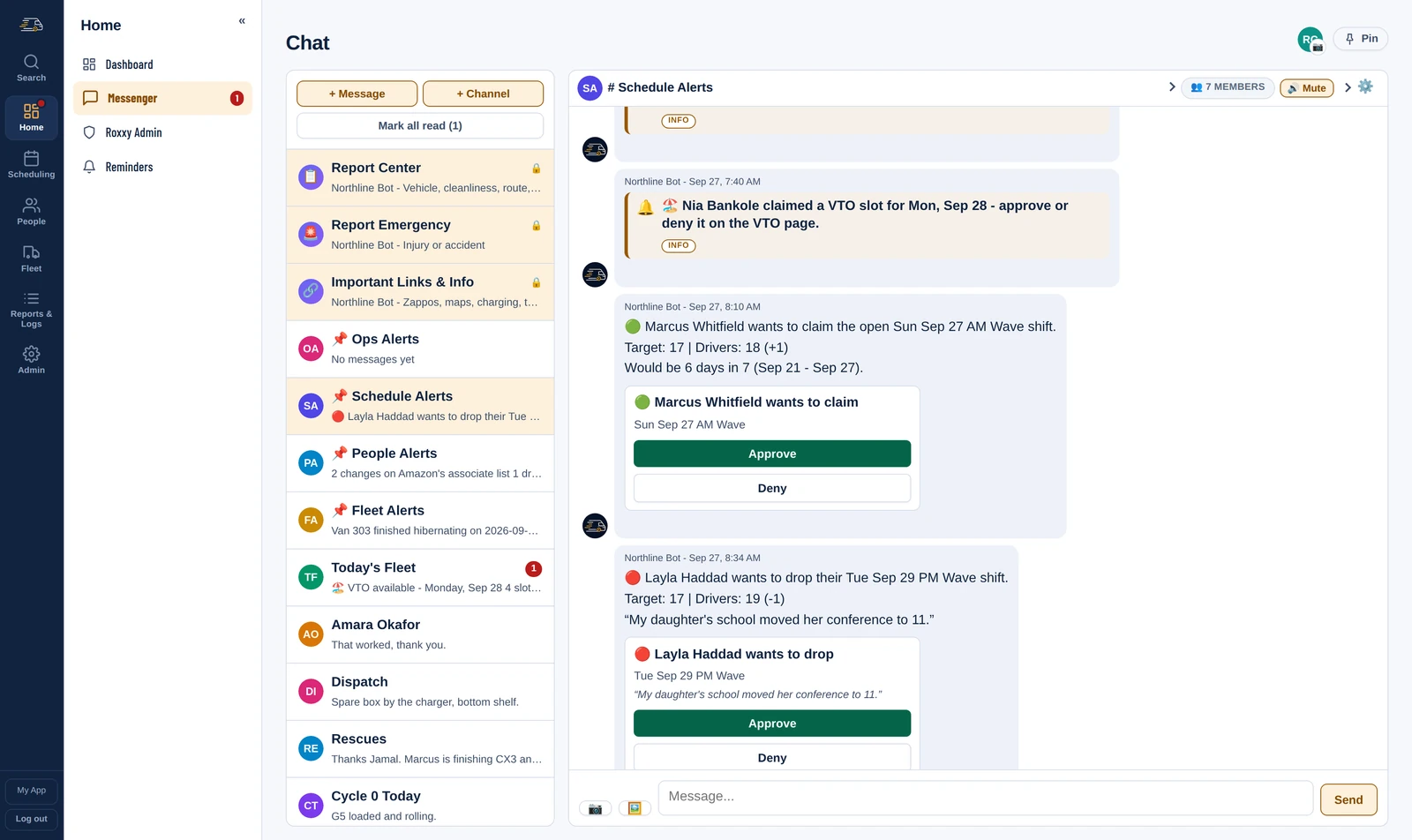
Post an open shift and it shows up on that day in every driver's schedule, ready to claim. A driver who cannot work a shift asks to drop it. Each pick-up and drop arrives as a card in your Schedule Alerts chat, with the day's target, the headcount after the change and a warning if it would make six days in seven, and you approve or deny it in one tap.
Time off, VTO and the weeks ahead
- Time off: approved time off, entered by hand or synced from ADP, goes on the schedule as PTO, Unpaid PTO, Sick and so on. The driver shows as off, drops out of the day's count, and their repeating schedule does not put them back on.
- VTO: overstaffed? Post VTO slots and drivers claim them from their phone. You approve or deny each one, and the rest are turned down once the slots fill.
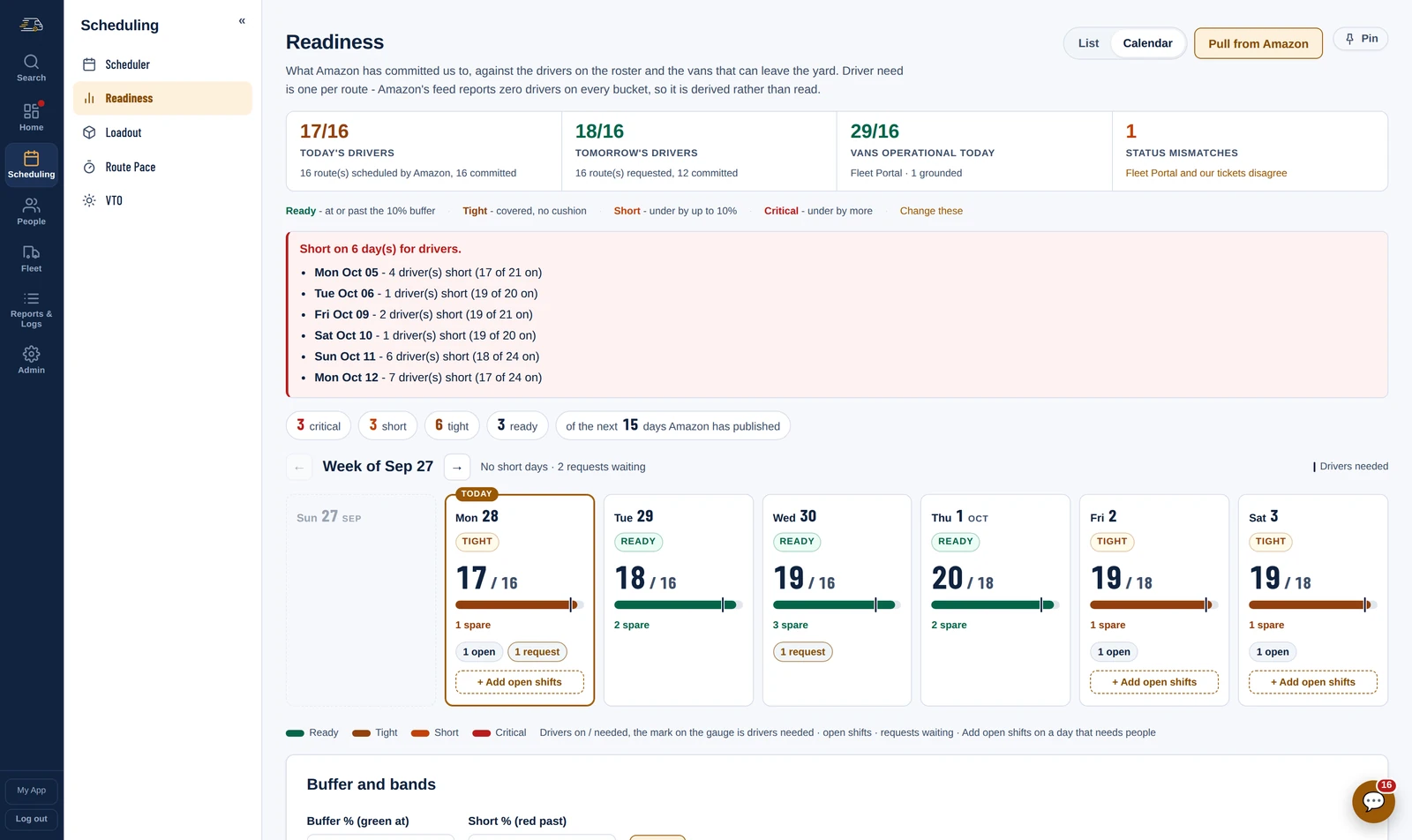
- Readiness: what Amazon has committed you to, against the drivers on the schedule and the vans that can leave the yard, for every day it has published. Each day reads Ready, Tight, Short or Critical, and a short day gets its open shifts from the same card.
The driver's week, on their phone
My Schedule shows each driver their own week, wave and hours. Open shifts they can claim sit on the day they are for, and a shift they cannot work has a Drop button. There is no app store in the way: drivers add it to their home screen, it opens like any other app, and notifications reach them.
Questions
Can drivers pick up and drop shifts themselves?
They can ask, from My Schedule on their phone. Dispatch approves or denies each request, and the card it arrives on shows the day's target and headcount, so you can see what saying yes does to the day.
Does it handle stations that rotate days?
Yes. A schedule can repeat every week or alternate between two, so a Week 1 that works Wednesday to Saturday and a Week 2 that works Tuesday to Friday each run on their own.
Will it warn me before somebody works six days in seven?
Yes. While you build the week, a driver about to work six days in seven, or to go over 60 hours, is flagged on their row. It warns rather than blocks, because you know your reasons.
Do my drivers need an app from the app store?
No. Drivers add Fleet Cadence to their home screen, it opens like any other app, and push notifications reach them. The office side works on a phone too, so dispatch is not tied to a desk.
The rest of the day
See it on your own routes
Your first month of the whole platform is free, for everyone, whenever you start. A week of real routes, punches and write-ups is the only way to judge this, and that takes a month to build up.