
Rivian EDV fleet tracking for DSPs
Know which Rivians charged overnight, which are booked in for service and what was done to them, in the same place as the rest of your fleet. Charge status for every EDV, the Rivian service calendar and its work orders, a message when a repair is finished that says what was done, and estimates that reach the repair ticket, beside your Fleet List and repair tickets.
Screens from the running app. The company, drivers and vans in them are invented.
Charge status, morning and night
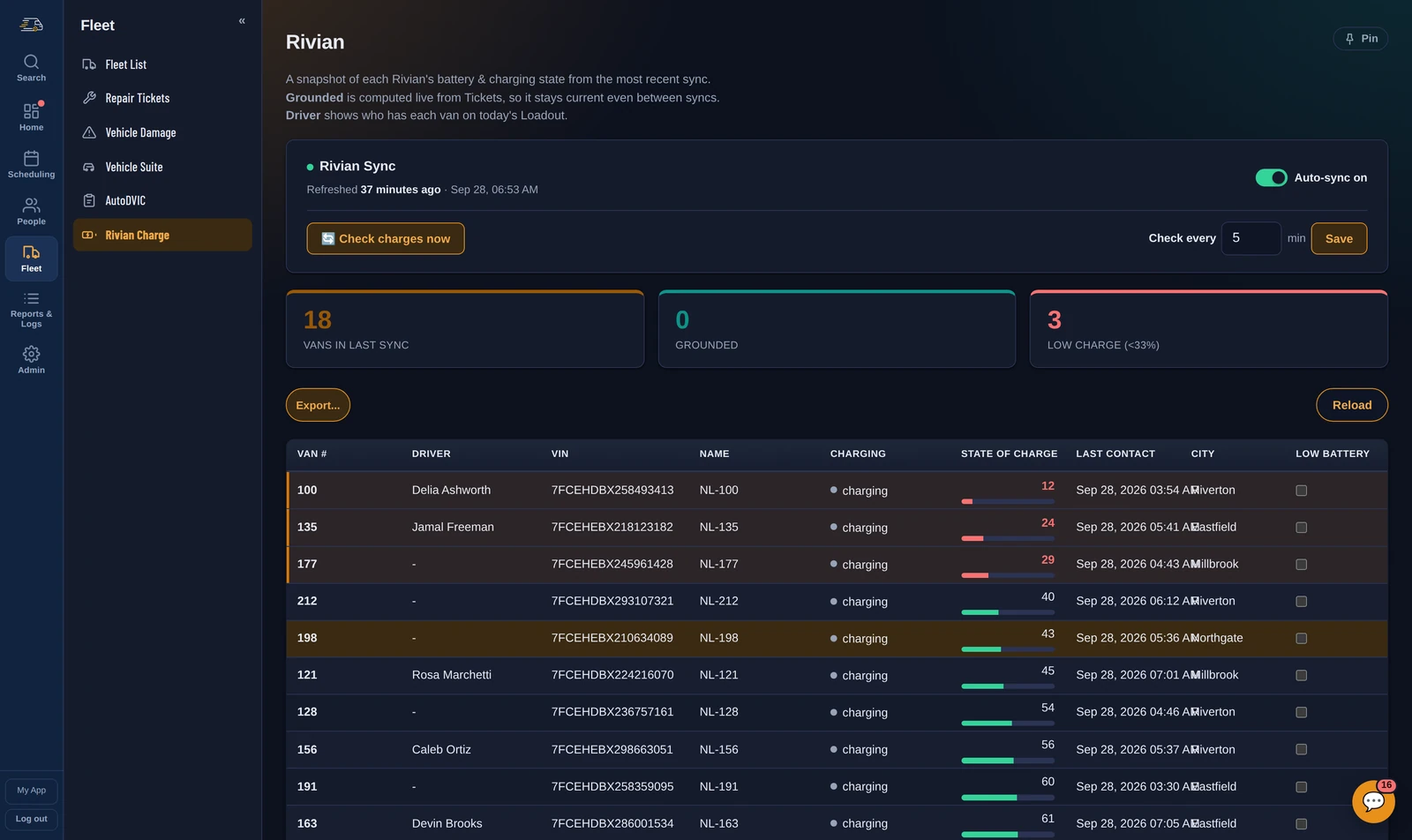
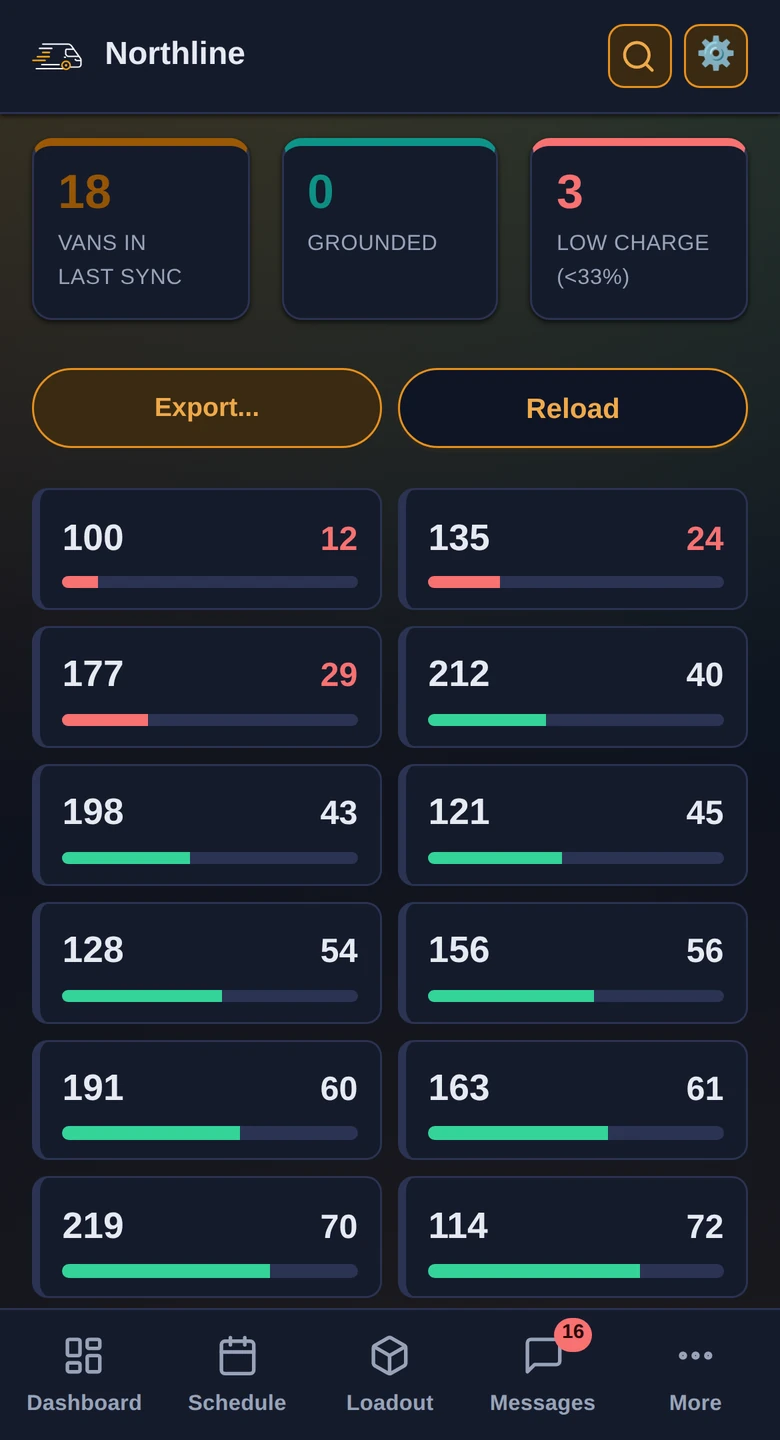
State of charge, plug status and last contact for every Rivian, lowest charge first, with the driver who has each van on today's Loadout. The counts across the top say how many are grounded and how many are low.
- A morning check flags every van still under 80% at 5am, and an alert goes out if a van's charge drops during the afternoon.
- An evening check catches vans that are not charging, and a vehicle error or a charging station error is reported as soon as it shows.
- A van that stops reporting in is flagged too.
- Tick Low Battery on a van and it is recorded as down: a repair ticket opens, the day's vehicle usage says why, the Loadout marks it too low for a route, and you are reminded the next morning. Once it charges back to 95% the flag clears itself.
- Every threshold and check time is a sentence in Settings that you can change.
The Rivian service calendar and work orders
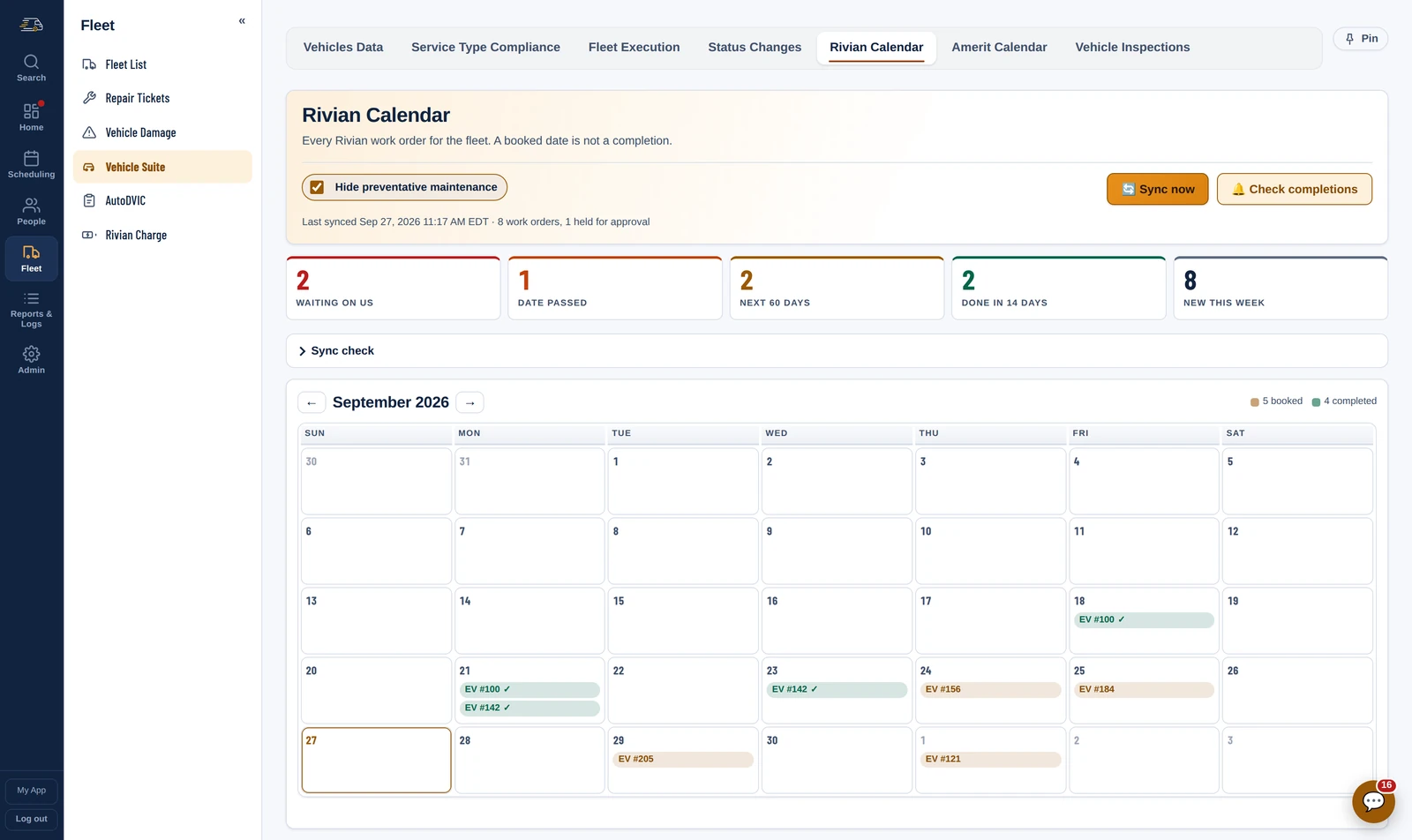
- Every Rivian work order for the fleet on a month grid, with the day a job was booked and the day it was actually done. A booked date is not a completion, and the calendar never reads it as one.
- The lists that need chasing: work waiting on you to authorise, bookings whose date has passed, the next 60 days, done in the last 14 days, and new this week.
- Hide Rivian's preventative maintenance to see only the work you reported.
- Open a repair ticket straight from a work order you reported, with the van, VIN, reason and work order number already filled in.
Told when a repair is finished, and what it cost
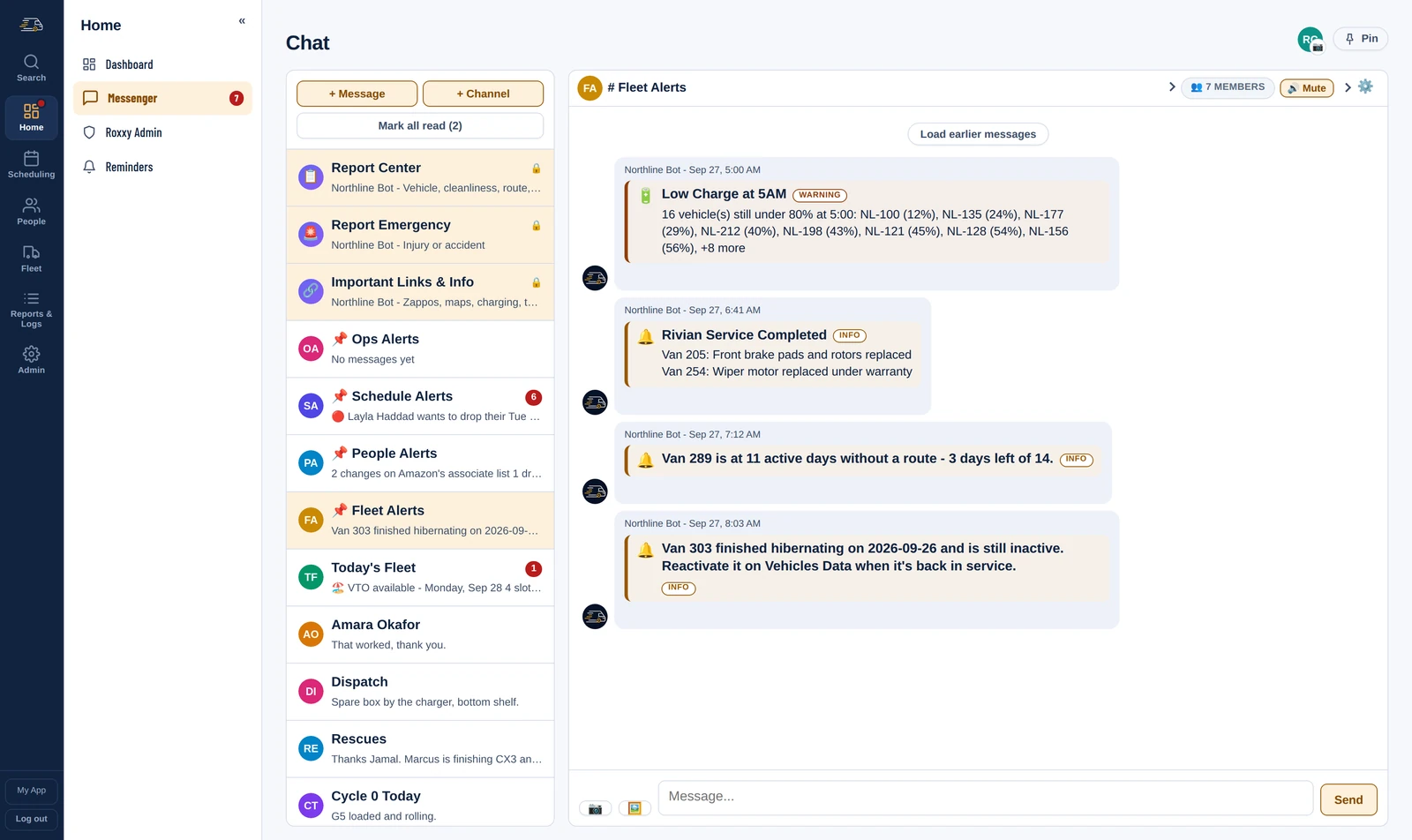
When Rivian finishes a job, a Rivian Service Completed message lands in your fleet alerts, per van: the work order, what was reported, what Rivian did, the parts replaced, the labor hours and the cost when there is one, with a short link to open it in Rivian. Each repair is announced once. And when Rivian prices a work order above $0, the repair ticket with that work order number gets the amount as its estimate (only if the estimate is blank, never over a number somebody typed) and a note with the labor lines, parts and total.
Repair tickets, grounded vans and the Fleet List
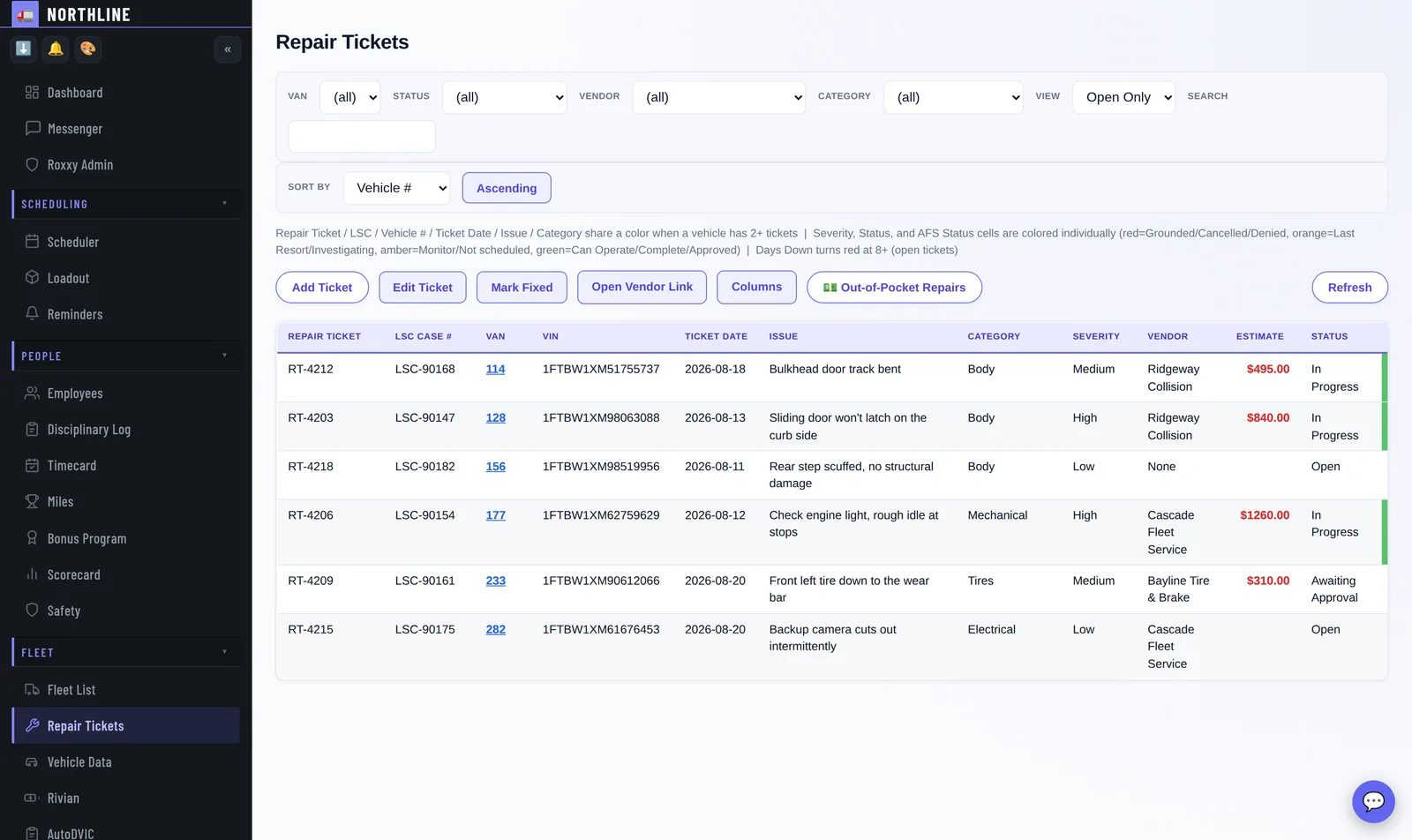
- Repair tickets from a driver's photo to the vendor's paperwork, in one record you can still find in six months.
- Grounded status from Amazon's fleet records and your own tickets, side by side. Where Amazon says a van should be off the road and there is no grounded ticket for it, or the other way round, it is listed as a mismatch with a button to open the ticket.
- The Fleet List: every van, its VIN, its status and its history. Add every van Amazon lists in one go, keep a van out of Auto-assign, and open any van to see its status, charge, open tickets and damage.
Questions
Is this only for Rivians?
No. Repair tickets, grounded status and the Fleet List cover every van. Charge status and the service calendar are for your Rivians, and the Amerit service calendar and work orders sit beside them: which vans are at the shop, what for, and what the technician said on the last visit.
Can I change when the charge alerts go off?
Yes. Every threshold and check time is a sentence in Settings: the morning low-charge level (80% at 5am by default), the afternoon drop, the not-charging check at night, and the charge at which a Low Battery flag clears itself.
Do I have to connect Rivian?
No. Rivian is optional, like every integration, and we set it up with you. Repair tickets and the Fleet List work without it.
The rest of the day
See it on your own routes
Your first month of the whole platform is free, for everyone, whenever you start. A week of real routes, punches and write-ups is the only way to judge this, and that takes a month to build up.